A Quick Tour of MetaMask Functionality
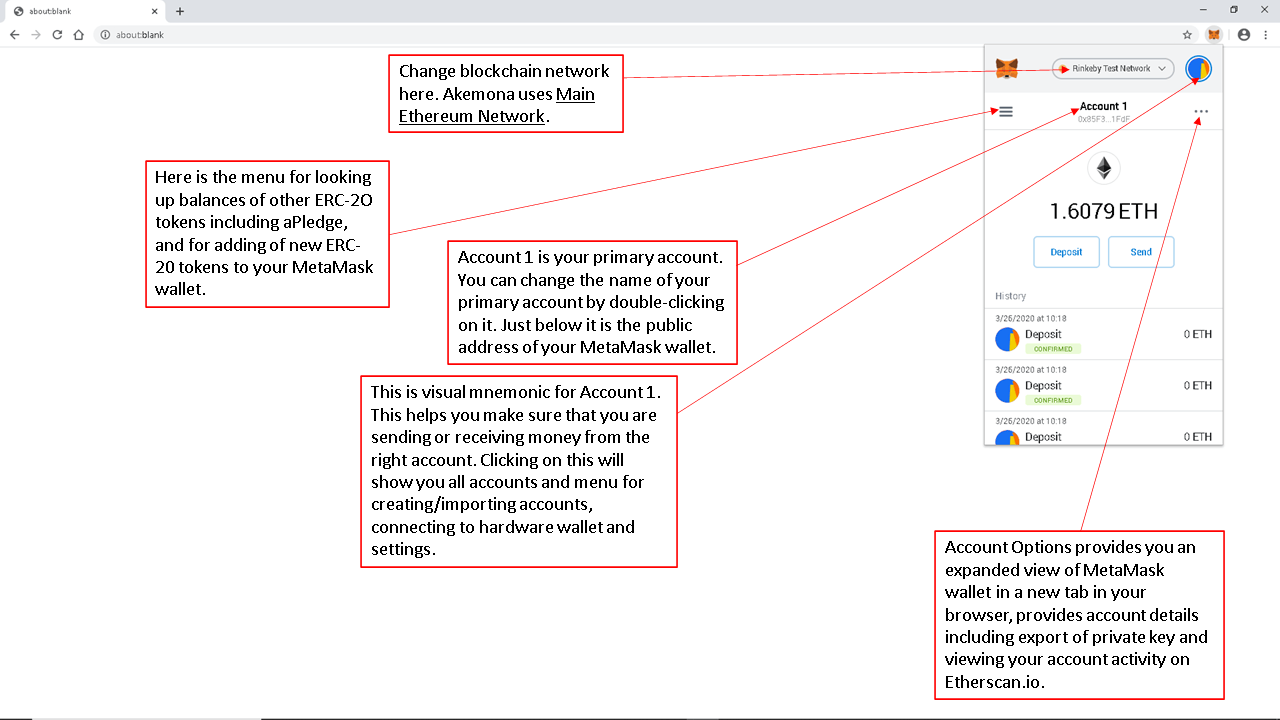
After logging in to your MetaMask wallet, you will see the balance of the native token for the selected blockchain network in your primary account, often shown as “Account 1.” For example, if you are connected to Ethereum Mainnet, you will see your ETH balance. If you are connected to Polygon PoS, you may see your POL balance, depending on your network settings.
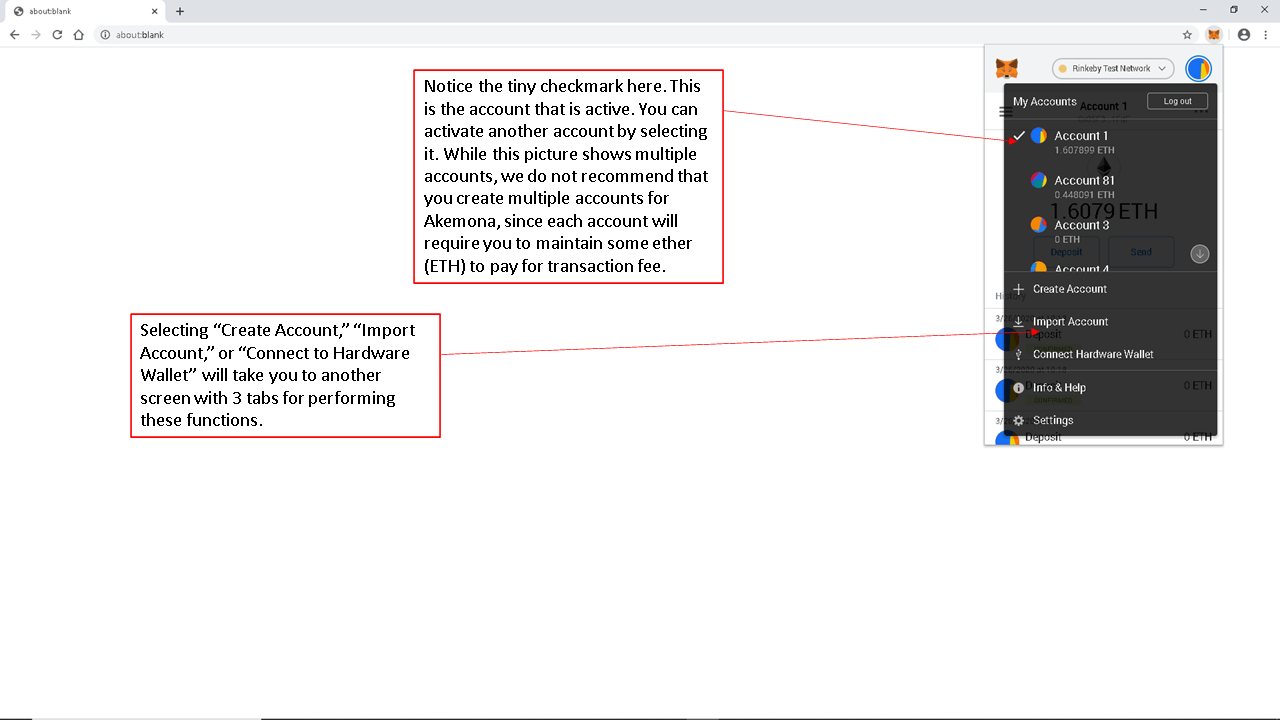
We generally recommend that new users keep their MetaMask setup simple and use one account for Akemona transactions. If you create multiple accounts, you may need to maintain enough of the applicable network token in each account to pay transaction processing fees, commonly known as gas. In addition, the Akemona interface will request approval from the MetaMask account that is currently active. If the active account does not have enough balance to pay gas or complete the transaction, you may need to switch accounts or repeat the transaction.
To avoid confusion over which account is currently active, check the account name, the checkmark next to the account, and the circular account icon displayed in MetaMask. Using one account helps ensure that “Account 1” remains active when you are logged in to MetaMask.
My Accounts
In the example below, Account 1 is active. This means that when you initiate a transaction from Akemona, MetaMask will request approval from Account 1. Akemona will request access only to the active account selected in MetaMask. Akemona cannot access your MetaMask wallet or approve transactions unless you, as the wallet owner, specifically approve the requested connection or transaction in MetaMask.
Import Account Using Private Key
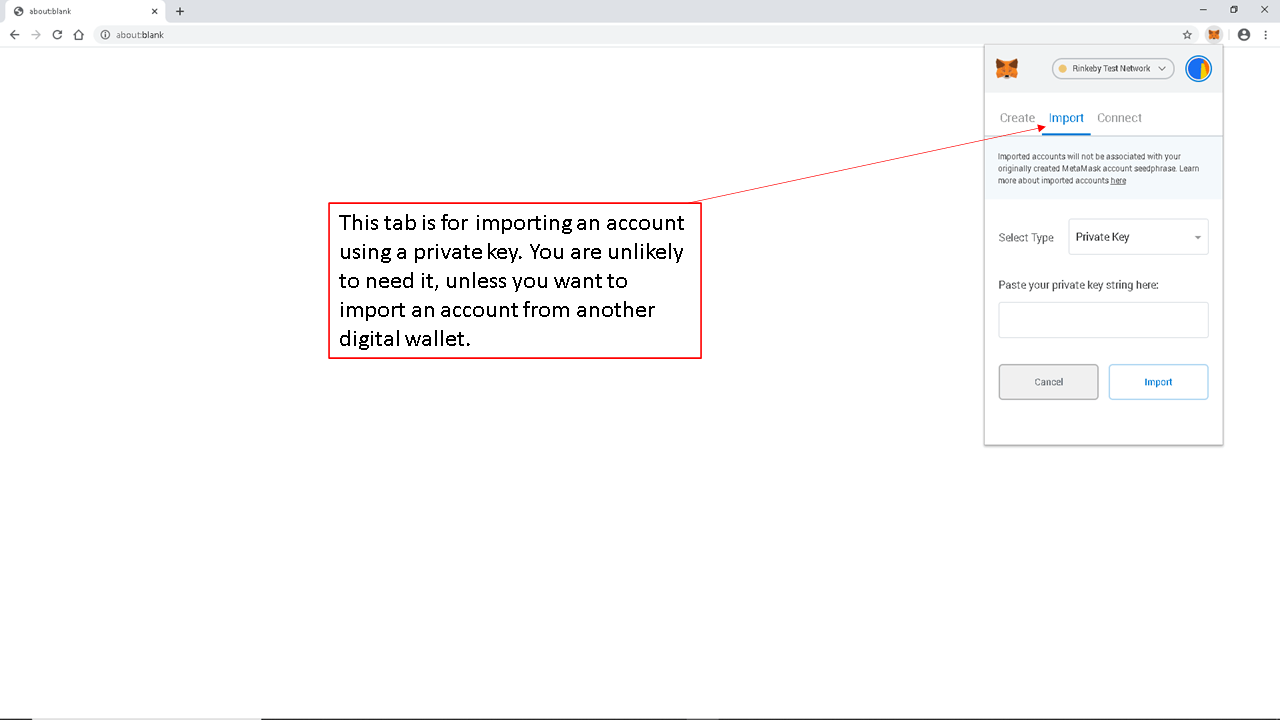
On this tab, you can import an account from another digital wallet into MetaMask using the private key for that account. Remember that anyone who has access to a private key can control the assets in the corresponding wallet account. We do not recommend using this method unless it is necessary, because exposing or repeatedly entering a private key can increase security risk.
If you want to restore a MetaMask wallet, you should generally use the Secret Recovery Phrase for that wallet. However, a Secret Recovery Phrase restores only the wallet and accounts derived from that phrase. It will not restore accounts that were separately imported into MetaMask using a private key or JSON file. Those imported accounts must be imported again separately.
A private key controls one specific account. A Secret Recovery Phrase can generate multiple accounts within the same wallet. Using a private key, you may be able to import a specific account into MetaMask or another compatible digital wallet. You should never share your private key or Secret Recovery Phrase with anyone.
Connect to a Hardware Wallet
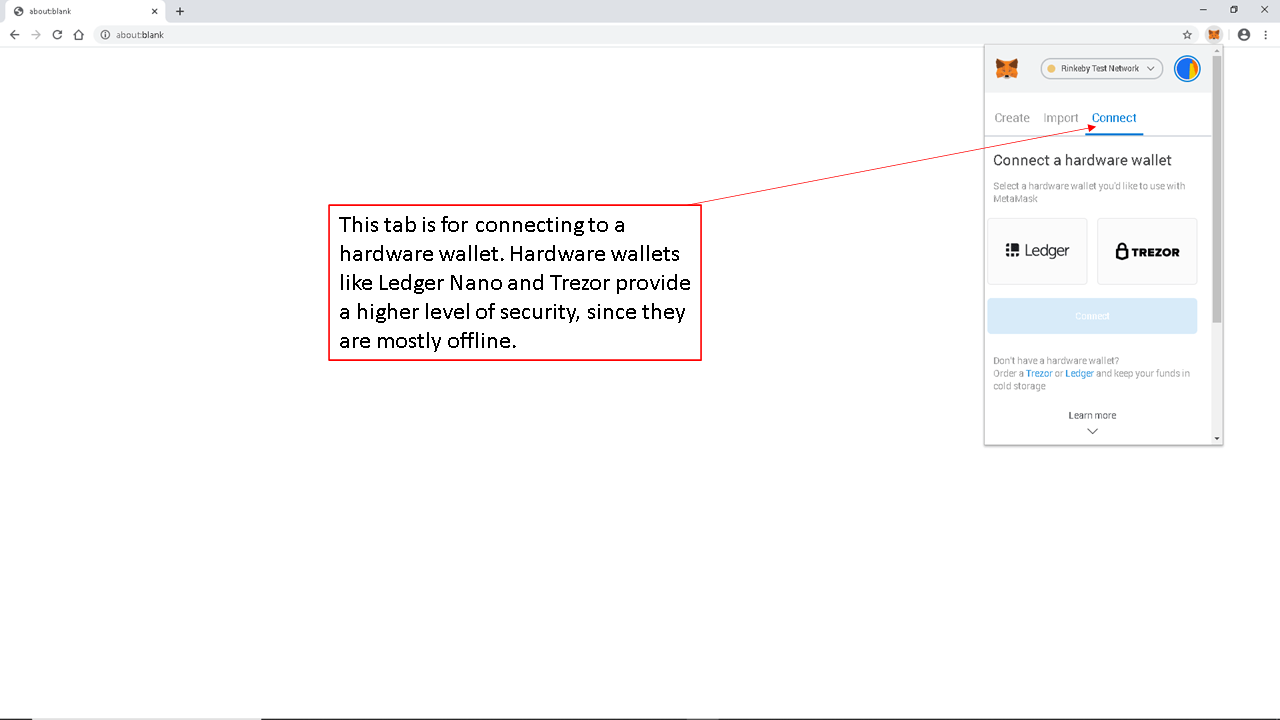
Using this tab in MetaMask, you can connect supported hardware wallets, such as Ledger or Trezor, to MetaMask. A hardware wallet stores private keys offline and can provide a higher level of security than storing keys only in a browser-based software wallet.
When you connect a hardware wallet to MetaMask, MetaMask acts as an interface for viewing accounts and submitting transactions, while the hardware wallet is used to approve and sign transactions. This helps protect your private keys because they remain on the hardware wallet.
MetaMask Account Options
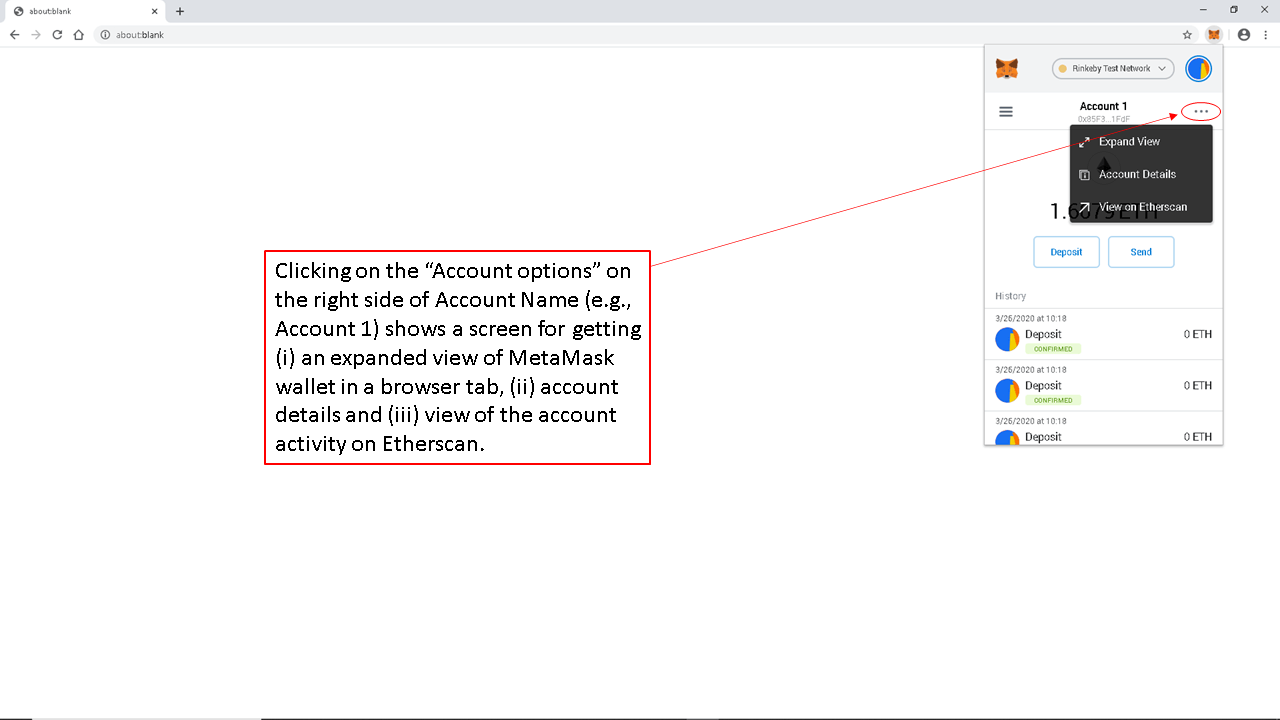
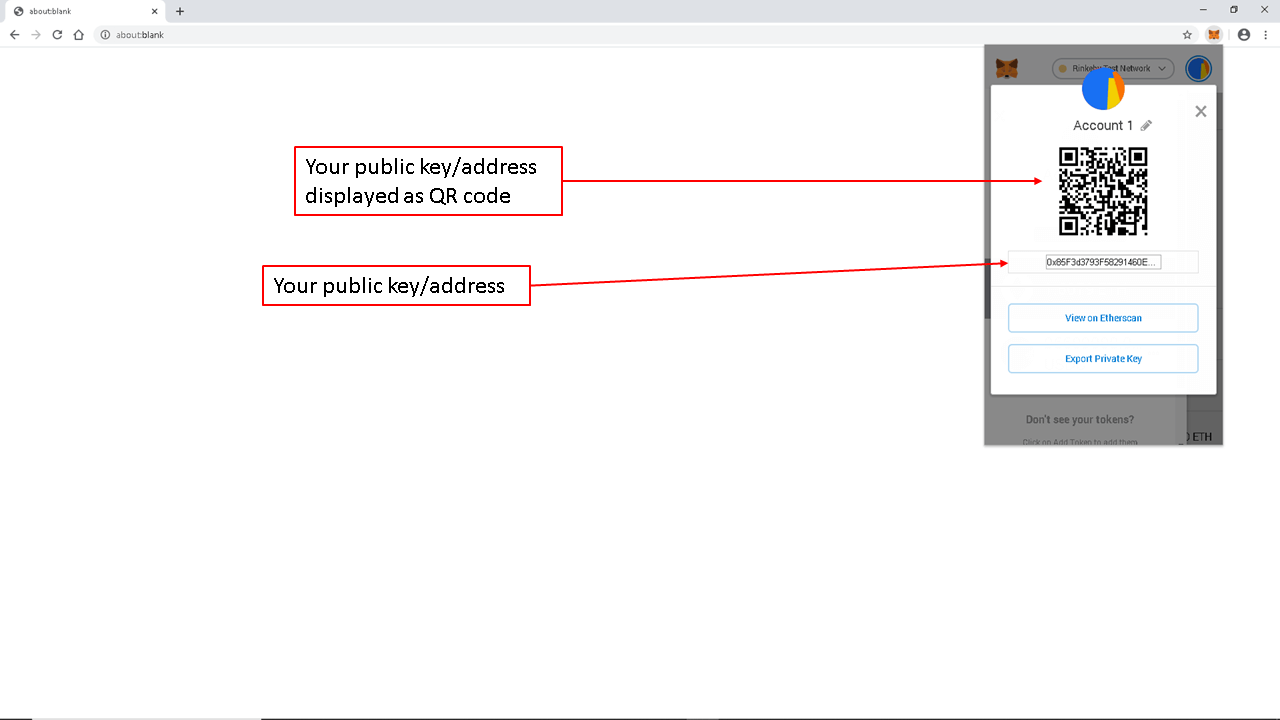
Clicking “Account Options” on the right side of the account name, such as “Account 1,” may allow you to open MetaMask in an expanded browser tab, view account details, copy your public wallet address, display your public wallet address as a QR code, export your private key, or view account activity on a blockchain explorer such as Etherscan.
Please note that anyone who knows your public wallet address can view public blockchain activity associated with that address. This is one reason why some users create multiple accounts in MetaMask. For example, one account may be used for transactions where the public wallet address is shared, while another account may be used for private recordkeeping or other purposes. However, creating multiple accounts may also create additional complexity and may require each account to hold enough native tokens to pay gas.
Your public wallet address is similar to an address that you can share to receive digital assets. Your private key and Secret Recovery Phrase are different. They are used to control your wallet and authorize transactions. Unless you intend to give someone control of your wallet, you should never share your private key or Secret Recovery Phrase with anyone.
Selecting “Account Details” will display your public wallet address as a QR code. You may also be able to change the account name, for example, from “Account 1” to “My Akemona Account,” export your private key, and view your account activity on a blockchain explorer.
If you decide to export your private key, you must safeguard it with extreme care. Your private key is proof of control over that specific wallet account. A Secret Recovery Phrase can be used to restore the wallet and accounts derived from it, while each account also has its own private key. Anyone who has access to your private key or Secret Recovery Phrase may be able to access your wallet and transfer your digital assets.
A MetaMask password is different from a private key or Secret Recovery Phrase. Your MetaMask password unlocks MetaMask on the device where it is installed. Your private key or Secret Recovery Phrase can be used to access your wallet from another device or compatible wallet application. For that reason, private keys and Secret Recovery Phrases must be protected with the highest level of care.
Viewing the Secret Recovery Phrase in MetaMask
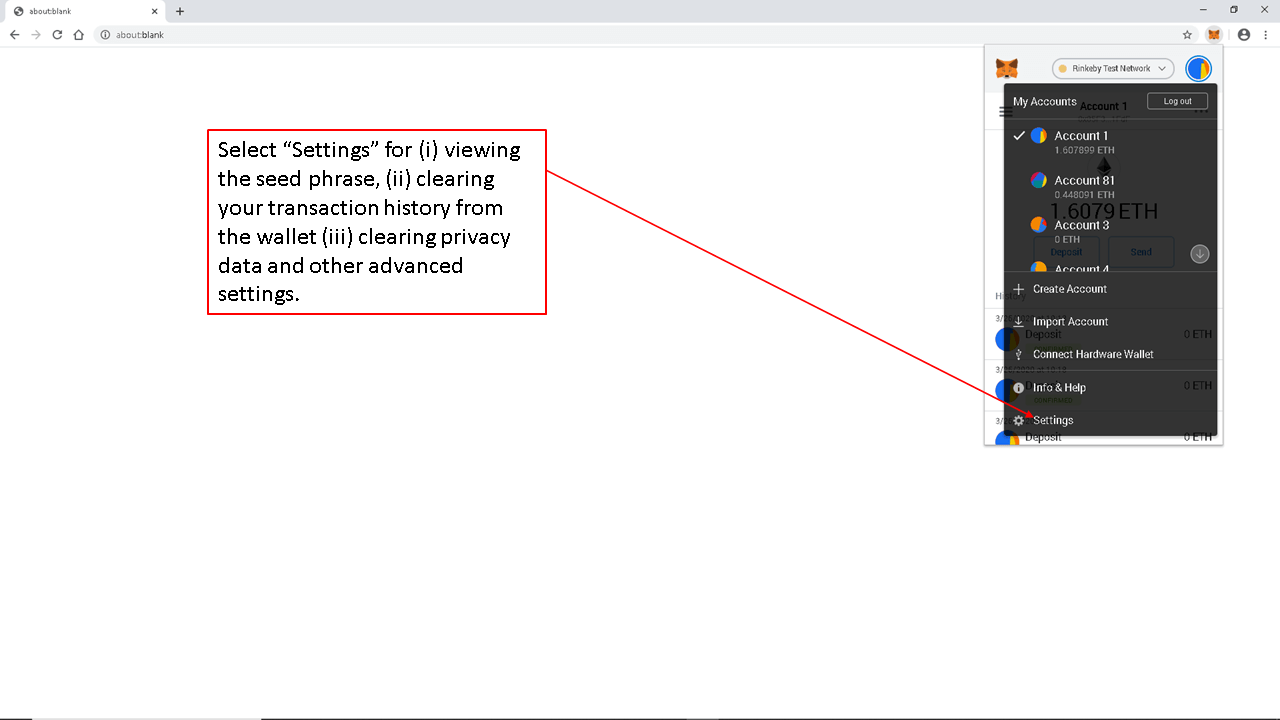
When you click the circular account icon or account menu in the top right corner of MetaMask, a drop-down menu may open with “Settings” near the bottom of the menu. Select “Settings” to access MetaMask settings. Depending on the version of MetaMask you are using, the option to reveal the Secret Recovery Phrase may appear under a security or privacy section.
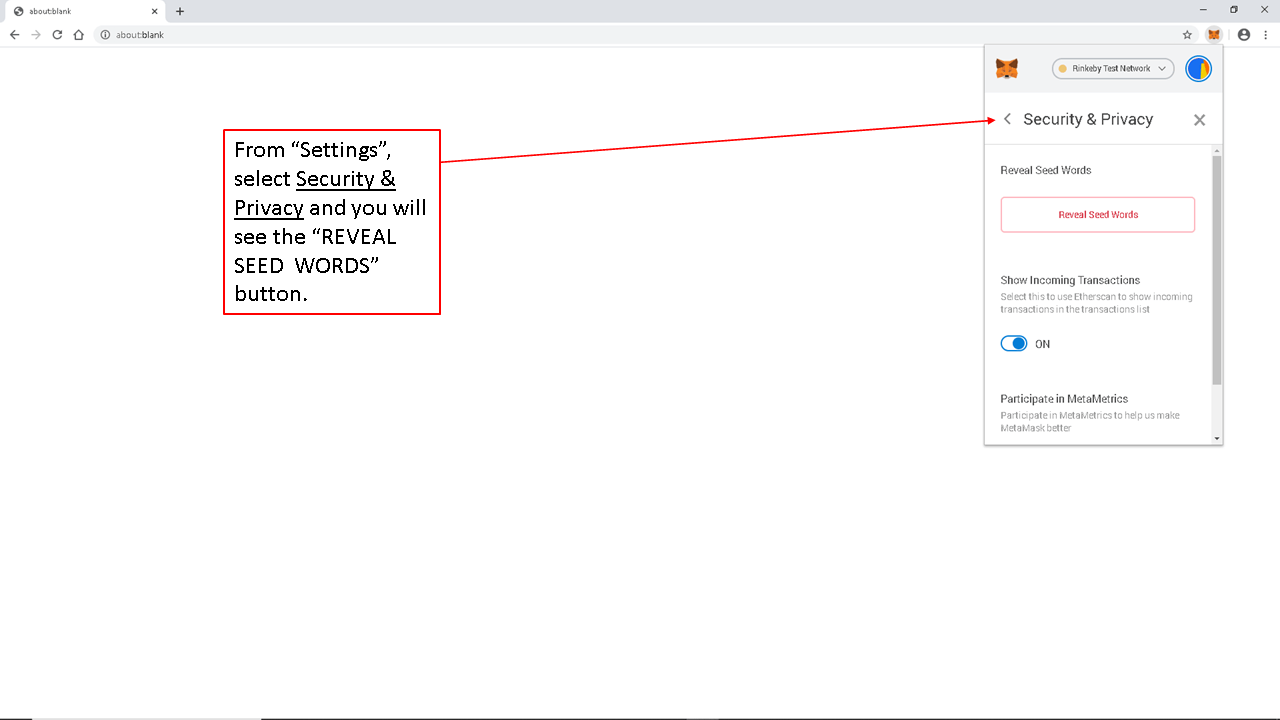
Once you are on the “Settings” tab, you may leave the primary currency as ETH unless you prefer another display currency. Then scroll to the security option that allows you to reveal your Secret Recovery Phrase. In older versions of MetaMask, this option may appear as “REVEAL SEED WORDS.” In newer versions, MetaMask may refer to it as the Secret Recovery Phrase.
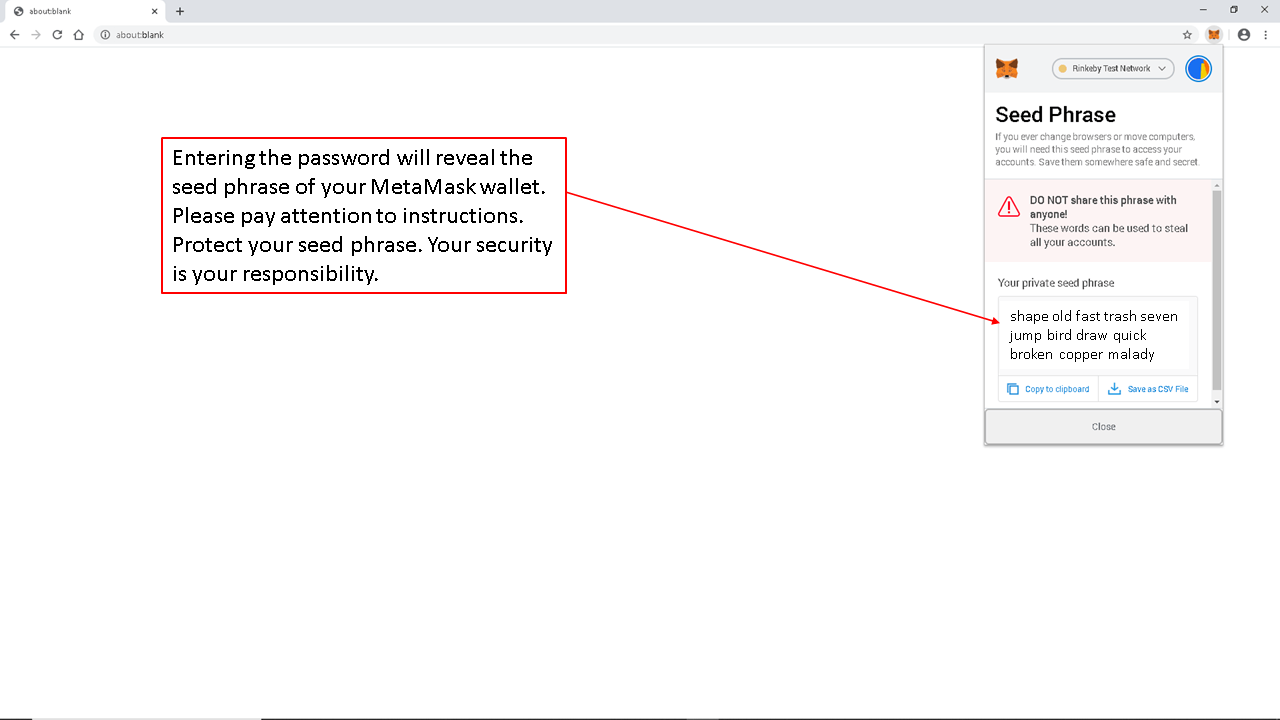
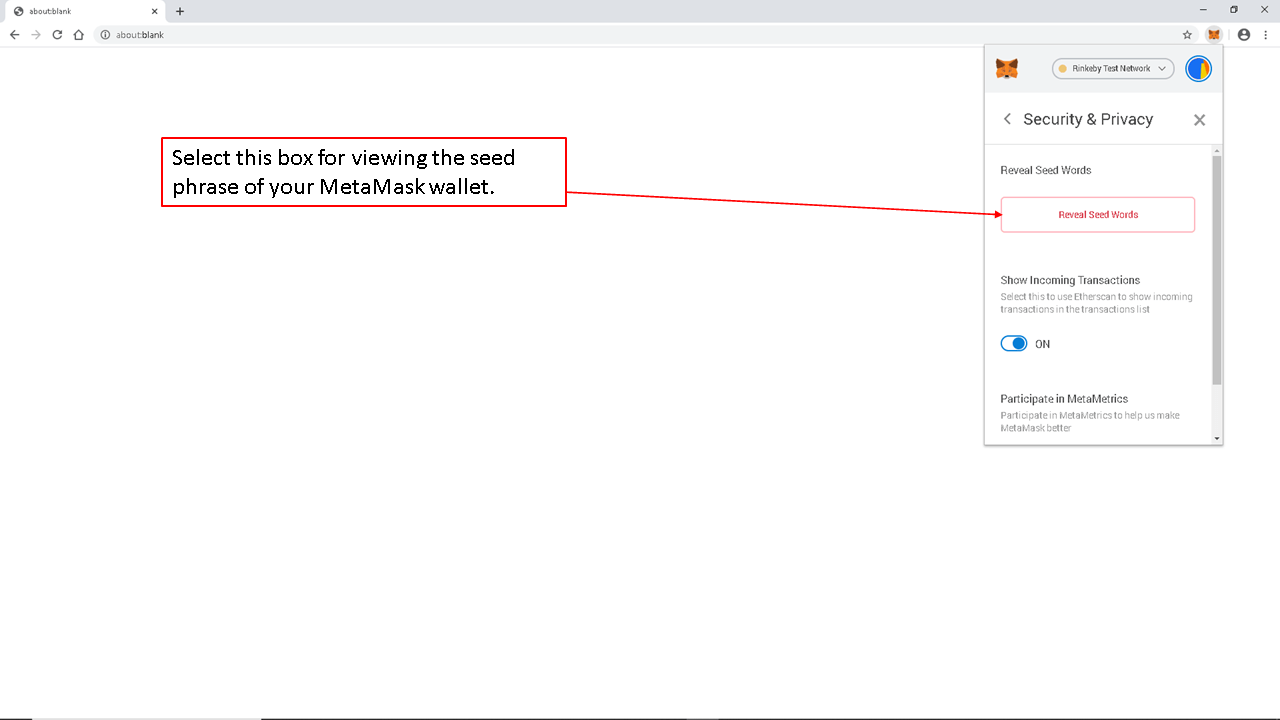
When you select the option to reveal your Secret Recovery Phrase, MetaMask will ask you to enter your MetaMask password on the next screen.
Enter the password for your MetaMask wallet.
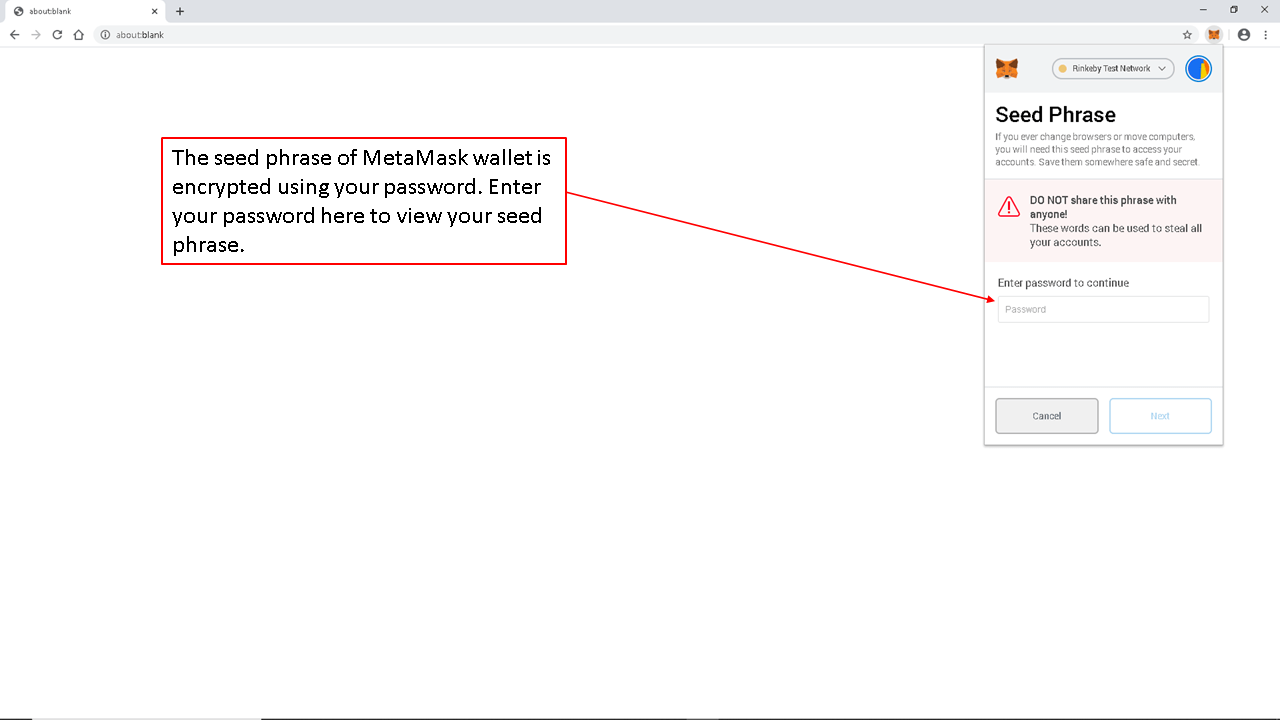
MetaMask will then show your Secret Recovery Phrase. Please note that anyone who has access to this phrase can restore your wallet and transfer all digital assets controlled by that wallet. Protect it carefully. Akemona, MetaMask, and legitimate support representatives will never ask you to provide your Secret Recovery Phrase.
Your Secret Recovery Phrase should be stored securely offline. If you lose your device but have your Secret Recovery Phrase, you can restore your wallet. If you lose both your device access and your Secret Recovery Phrase, you may permanently lose access to your wallet and digital assets. To prevent such loss, write your Secret Recovery Phrase on paper or store it using another secure offline method and keep it in a safe place. You may want to review the following [Link] to learn more about how to safeguard your digital assets.